OpenClaw "gateway timeout after 10000ms": which of the three causes is yours
gateway timeout after 10000ms — usually alongside ws://127.0.0.1:18789 — is a10-second deadline in the openclaw CLI, not a device-pairing error. Every CLI command that calls the gateway shares it, which is why the same line comes out of devices list,channels status --probe, cron list and gateway call alike. It tells you the CLI stopped waiting. It does not tell you the gateway is down — and in three of the four documented cases below, it wasn't.
Ask the gateway directly before you touch anything:curl -s http://127.0.0.1:18789/ -o /dev/null -w "%{http_code}". If it returns200, your connection is fine and the command simply ran past 10 seconds — re-run it with--timeout 30000. If it returns nothing, the gateway really is unreachable and the pairing and bind checks below apply. Either way, verify the effect before retrying a command that changes state: a timeout does not mean the work didn't happen.
At a glance: three causes, three different fixes
| Cause | Tell | Fix |
|---|---|---|
| The command is slower than 10s (most common) | curl to the gateway returns 200; the agent is still answering messages | Re-run with --timeout 30000. Nothing is broken |
| The command already succeeded | The side effect happened anyway — the message sent, the job fired — but the CLI still printed the timeout | Check the effect, then stop. Do not retry a mutating command |
| The gateway is genuinely unreachable | curl returns nothing, or pairing is pending, or you just upgraded | Work the pairing, address and version checks in the rest of this guide |
The gateway is healthy and the command still times out
This is the case the error message hides, and it is well documented upstream. Inissue #21603(opened 2026-02-20, closed as not planned) openclaw channels status --probe reportsgateway timeout after 10000ms whilecurl -s http://127.0.0.1:18789/ -o /dev/null -w "%{http_code}" returns 200 against the same gateway. The reporter's summary is the useful part: "This is a false negative — the bot can be receiving and responding to messages while this command reports failure."
The same shape appears inissue #13018(2026-02-10, Clawdbot 2026.2.6-3, closed as not planned), where cron list times out while"the scheduler remains active and continues to fire jobs on schedule" and general health checks answer in about 1.3 seconds. If your symptom is specifically cron, thecron WebSocket failures while status still worksguide covers that path in full.
The best-evidenced trigger is simply work that takes longer than the deadline.Issue #67938(2026-04-17, OpenClaw 2026.4.15) reports that channels status --probe always times out with 8 or more accounts because probing runs sequentially in nested loops (src/gateway/server-methods/channels.ts:136-164); with 8 accounts — 1 Discord, 6 Telegram, 1 Feishu — the run compounds to roughly 54–61 seconds. Deployments with 5 or more accounts are affected. The documented workaround is to raise the client's patience:
openclaw channels status --probe --timeout 30000That flag makes the CLI wait, not the gateway hurry: the probe still takes about a minute. The issue's suggested fix is concurrent probing plus raising the CLI default from 10 s to 30 s.
Verify before you retry
Issue #59470(2026-04-02, closed via PR #85785) is the reason this matters. A plugin method invoked throughopenclaw gateway call returned Gateway call failed: Error: gateway timeout after 10000ms — and the plugin's own logs confirmed the Discord message had already been sent. A second method that only read a local log file timed out the same way, which rules out network latency. The fault was in the gateway-method RPC return path against a hardcoded 10-second deadline, not in execution.
So treat a timeout on any command that changes something — sending a message, creating a cron job, approving a device — as unknown, not failed. Check whether the effect landed before you run it again, or you risk applying it twice.
Why this hits harder on a cloud VM
A common assumption is that a timeout against port 18789 on a cloud instance is a firewall or security-group problem. It usually isn't: the CLI is connecting to 127.0.0.1 on the same host, and no cloud security group filters loopback traffic. Nothing between you and the gateway is dropping packets.
What a shared-vCPU cloud instance does change is how easily a command crosses the deadline. Slower per-core performance, proxied outbound traffic (the Telegram probes in #67938 carry explicit proxy overhead) and a realistic number of channel accounts all push a sequential probe past 10 seconds that would finish in time on a developer laptop. If you are running OpenClaw on a cloud VM and seeing this, start with the curl check and --timeout 30000 before touching any network configuration.
One genuine distinction worth keeping: a timeout means nobody answered in time, whereasconnection refused means something answered and rejected you — which is a different fault with a different fix. If your CLI reports refusal rather than a timeout, seeOpenClaw gateway connection refused on localhost, which covers the gateway.bind taxonomy.
When the gateway really is unreachable: device pairing and version skew
If the curl check returns nothing, you are in the third class and the rest of this guide is the runbook for it. The most common concrete version is device pairing: the CLI cannot complete the handshake because the device it is running as has not been approved, or because a version change moved the endpoint underneath it.
- Issue #45504 (2026-03-14): 2026.3.12 causes devices list/approve commands to fail against local loopback gateway while web UI remains functional.
- Failures include "timeout after 10000ms" and "websocket closed 1000 normal closure."
- Gateway service can show "RPC probe ok" while devices CLI still fails.
- CLI targets
ws://127.0.0.1:18789but cannot establish connection. - Users forced to roll back to 2026.3.8 to restore device pairing functionality.
Why this failure is especially disruptive
Device pairing is how you add new endpoints, workers, and nodes to your OpenClaw deployment. When the devices CLI fails, you cannot onboard new devices even if your gateway is otherwise healthy. The deceptive aspect is that the Control UI may work perfectly, making it appear that everything is fine except for this one command.
This leads to wasted time debugging unrelated areas: network connectivity, firewall rules, authentication, and permissions. The actual problem is often a mismatch between where the CLI is trying to connect and where the gateway is actually listening.
Typical failure pattern for device pairing issues
openclaw devices listreturns timeout after 10 seconds.openclaw devices approve --latestfails with websocket error 1000.- Gateway status shows running and healthy in logs.
- Control UI web interface works normally.
- Pending devices remain unapproved and cannot connect.
- Rollback to previous version resolves the issue.
Root causes behind devices CLI failures
1) CLI-to-gateway WebSocket address mismatch
The devices CLI attempts to connect to ws://127.0.0.1:18789 by default, but the gateway may be listening on a different address, port, or interface after an upgrade or configuration change. When the target address is incorrect, connection attempts timeout after the default 10 second window.
2) Gateway WebSocket endpoint changes in new versions
OpenClaw releases can change internal WebSocket paths, add authentication requirements, or modify RPC handlers. The devices CLI from one version may not be compatible with the gateway from another. Reports indicate 2026.3.12 introduced a regression that breaks the devices/gateway contract.
3) Local loopback binding vs remote access configuration
If you are accessing OpenClaw through a reverse proxy or remote tunnel, the CLI may be trying to connect to a loopback address that is not actually exposed. The Control UI works through the proxy, but the CLI command attempts direct local connection and fails.
4) Version skew between CLI and runtime
If you installed OpenClaw globally but are running a gateway from a different version (perhaps in Docker or from a different installation method), the CLI and runtime may have incompatible expectations. This is especially common after partial upgrades.
Step-by-step fix for device pairing failures
Step 1: Verify gateway WebSocket listening status
Before assuming the CLI is broken, confirm what the gateway is actually listening on. Use system tools to check open ports and WebSocket endpoints.
# Check if port 18789 is listening
netstat -tuln | grep 18789
# or
ss -tuln | grep 18789

# Check WebSocket endpoint availability
curl -i -N   -H "Connection: Upgrade"   -H "Upgrade: websocket"   -H "Sec-WebSocket-Version: 13"   -H "Sec-WebSocket-Key: test"   http://127.0.0.1:18789/

# For Docker environments, check inside the container
docker exec <container-name> netstat -tuln | grep 18789
Step 2: Confirm CLI and gateway version match
Version mismatches are a common source of devices CLI failures. Ensure both the CLI and gateway are running the same version.
# Check CLI version
openclaw --version

# Check gateway version
openclaw gateway status

# For Docker, compare container tag
docker ps | grep openclaw
Step 3: Test CLI connection with verbose output
Run the devices command with verbose flags to see exactly where the connection is failing. This provides clearer evidence than the generic timeout message.
# Run with verbose/debug output
openclaw devices list --verbose
# or
DEBUG=openclaw:* openclaw devices list

# Test direct WebSocket connection
wscat -c ws://127.0.0.1:18789
Step 4: Use Control UI as temporary workaround
If you need to approve devices urgently while troubleshooting, use the Control UI's device management interface. The web UI typically communicates with the gateway through a different path that may still be working.
- Open Control UI in your browser.
- Navigate to Settings or Devices section.
- Look for pending device approvals.
- Approve devices directly from the web interface.
Step 5: Roll back to known-good version if needed
Based on user reports, rolling back from 2026.3.12 to 2026.3.8 has restored device pairing functionality. If the issue started immediately after an upgrade, this is often the fastest path to recovery.
# Pin to specific version (example)
npm install -g openclaw@2026.3.8

# For Docker, use specific tag in docker-compose.yml
image: openclaw/openclaw:2026.3.8

# Restart and verify device commands work
openclaw gateway restart
openclaw devices list
Step 6: Check for custom gateway address configuration
If you have configured OpenClaw to use a custom gateway address or WebSocket URL, verify the CLI can reach it. The devices command may need explicit gateway targeting if not using default loopback.
# Check if custom gateway URL is set
echo $OPENCLAW_GATEWAY_URL
# or check in config file
cat ~/.openclaw/config.yaml | grep gateway

# Override gateway address for testing
OPENCLAW_GATEWAY_URL=ws://localhost:18789 openclaw devices list
Reference commands for diagnosing device pairing
# Full diagnostic sequence
openclaw gateway status
netstat -tuln | grep 18789
openclaw --version
DEBUG=openclaw:* openclaw devices list

# Test WebSocket with wscat (install if needed)
npm install -g wscat
wscat -c ws://127.0.0.1:18789

# Check for pending devices through alternative method
openclaw status | grep -i device

# Restart gateway cleanly
openclaw gateway restart
Edge cases that complicate device pairing
Edge case: reverse proxy hides WebSocket path
If you access OpenClaw through nginx, traefik, or another reverse proxy, the WebSocket endpoint may be mapped differently than the direct connection. Ensure WebSocket upgrade headers are passed through correctly and that the CLI can reach the proxied endpoint.
Edge case: remote gateway access through SSH tunnel
When your gateway is on a remote machine and you access it via SSH tunnel, local port forwarding may not include the WebSocket port. Add explicit port forwarding for 18789 or use the remote shell to run devices commands directly on the gateway host.
Edge case: multiple OpenClaw instances on same network
If you run multiple OpenClaw instances or have previously installed OpenClaw in different ways, the CLI may be connecting to the wrong gateway. Explicitly target the correct instance or stop unused instances to eliminate confusion.
Edge case: firewall or security software blocking localhost
Unusual but possible: aggressive firewall or security software can block localhost connections. Test with a simple loopback connection using curl or netcat to confirm local networking is functional.
Stop babysitting your OpenClaw box
Fix it once — or stop fixing it for good.
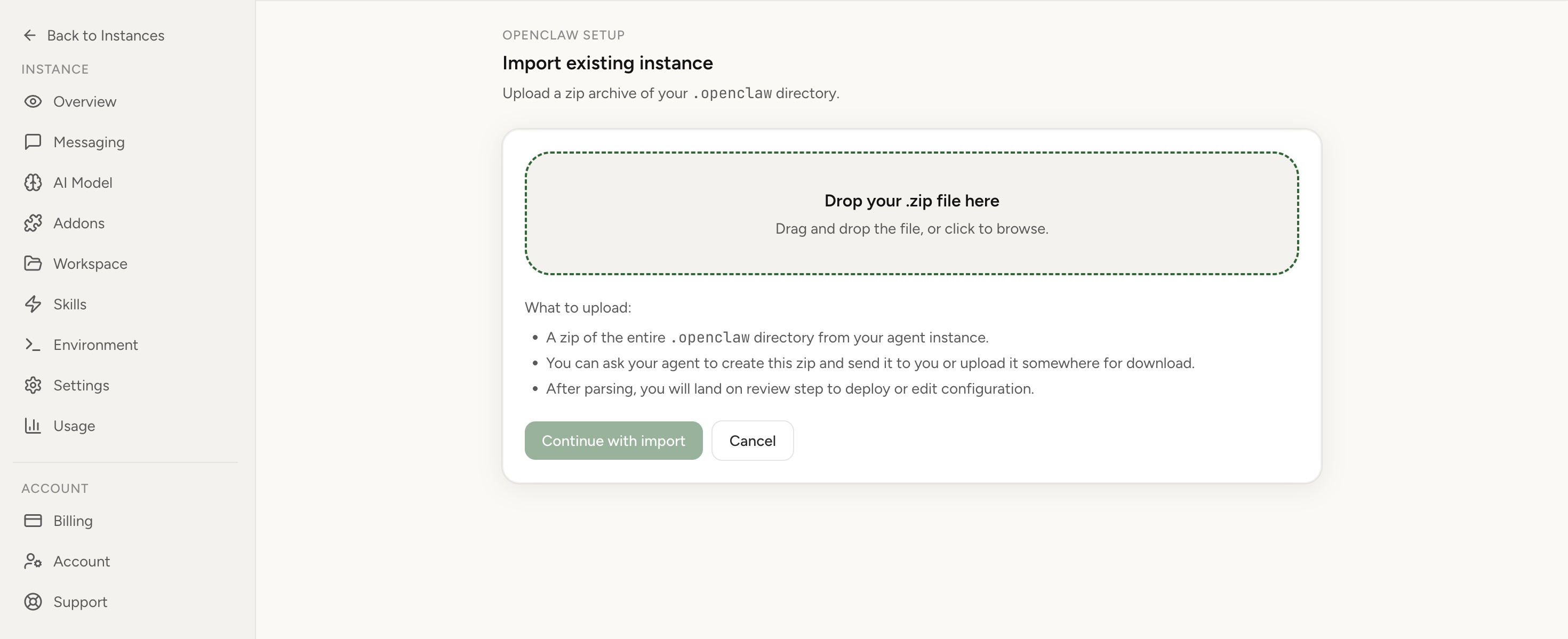
Apply the checklist above and keep self-hosting, or skip the maintenance entirely: run your OpenClaw on managed hosting from $6.90/mo, starting with a 7-day free trial. We handle the stale locks, gateway restarts, version upgrades, and uptime — and you can import your existing instance in a couple of minutes. Cancel anytime.
- Managed hosting handles stale
.jsonl.lockfiles, gateway restarts, and version upgrades for you - Import your existing OpenClaw setup in minutes — keep your channels and configuration
- The optional $199 setup is scoped: no custom development, enterprise/SRE support, or unsupported self-hosting repair
If you would rather compare options first, review OpenClaw cloud hosting or see the best OpenClaw hosting options before deciding.
Verification checklist after fixing device pairing
openclaw devices listreturns output within 5 seconds.openclaw devices approve --latestsuccessfully approves pending devices.- Approved devices can connect and communicate with the gateway.
- WebSocket connection is established without timeout or error 1000.
- Fix survives gateway restart and system reboot.
Preventive controls for reliable device management
- Pin OpenClaw versions after confirming stable device pairing works.
- Test devices commands immediately after each upgrade in a staging environment.
- Document custom gateway URLs and WebSocket configurations.
- Maintain access to Control UI as a fallback for device approvals.
- Add health checks that verify device CLI connectivity, not just web UI availability.
When device management overhead indicates a deployment issue
Recurring issues with device pairing, WebSocket connectivity, and version compatibility are symptoms of operational complexity. Each upgrade brings risk of regression, and each fix requires time and attention. For teams that need reliable multi-device setups, this overhead compounds quickly.
Managed hosting abstracts away these integration details. Device pairing, WebSocket routing, and version compatibility are handled consistently without manual intervention. The tradeoff is less direct control in exchange for predictable behavior.
Evaluate your deployment model
If device pairing failures are becoming a recurring pattern, consider whether self-hosting complexity matches your team's capacity. Compare self-hosted vs managed deployments and reviewmanaged hosting options for a more predictable device management experience.
Common mistakes in device pairing troubleshooting
- Mistake: assuming gateway is broken because CLI fails.
Correction: verify what the gateway is actually listening on before making changes. - Mistake: editing network configuration without checking version.
Correction: confirm CLI and gateway versions match before changing network settings. - Mistake: ignoring the Control UI workaround.
Correction: use web interface for urgent approvals while troubleshooting CLI. - Mistake: upgrading repeatedly to fix an upgrade regression.
Correction: roll back to known-good version and wait for tested fix. - Mistake: testing CLI without checking WebSocket endpoint.
Correction: use wscat or curl to verify the WebSocket path is reachable.
FAQ
What does "gateway timeout after 10000ms" mean in OpenClaw?
It means the openclaw CLI gave up waiting for the gateway to answer an RPC call overws://127.0.0.1:18789. The 10-second deadline is client-side and shared by every CLI command that talks to the gateway, so the same message appears from devices list, channels status --probe,cron list and gateway call. It is not specific to device pairing, and on its own it does not mean the gateway is down.
How do I raise the OpenClaw CLI gateway timeout?
Pass --timeout with a value in milliseconds, for exampleopenclaw channels status --probe --timeout 30000. This is the documented workaround inissue #67938, where sequential channel probing takes roughly 54–61 seconds with eight configured accounts. The flag raises how long the client waits; it does not make the command faster.
Can the command succeed even though the CLI reported a gateway timeout?
Yes. Inissue #59470a Discord send reported gateway timeout after 10000ms while the plugin logs confirmed the message had actually been sent — the failure was in the RPC acknowledgement path, not in execution. Verify the effect before you retry anything that changes state, or you can apply it twice.
Does managed hosting remove the 10-second gateway timeout?
No, and no host can honestly claim otherwise: the deadline is hardcoded in the openclaw CLI on the client side, so it applies wherever the runtime is running. What managed hosting does change is the surrounding conditions —Lobsterland's managed OpenClaw hosting runs pinned, tested images, so a build-specific regression like the 2026.3.12 one above is not yours to discover, and the gateway's health is probed by the platform independently of the CLI, which is the same distinction the curl check above draws by hand.
Why does "openclaw devices list" fail when the gateway is running?
Either the CLI is targeting a loopback WebSocket address (ws://127.0.0.1:18789) that the gateway is not actually listening on, or the gateway is reachable but the command did not finish inside the 10-second deadline. Check with curl first: if curl -s http://127.0.0.1:18789/ returns 200 while the CLI times out, the connection is fine and the command is simply too slow.
Can I approve devices without the CLI if it keeps failing?
Yes. The Control UI provides a device management interface that can approve pending devices when the CLI is not working. Use the web interface as a fallback while you troubleshoot the CLI connection.
Is this caused by a regression in OpenClaw 2026.3.12?
Reports indicate this pattern appeared after upgrading to 2026.3.12. Users were able to pair devices normally on 2026.3.8, but the same commands began failing with timeout and websocket errors after the upgrade. Rolling back has restored functionality for some operators.
Should I modify my firewall rules when devices commands fail?
Only if you have confirmed the gateway is listening and the CLI is targeting the correct address. Firewall changes should not be your first troubleshooting step. Start by verifying the gateway is actually listening on the expected port.
Can I use a different port for device management?
OpenClaw uses default ports for internal communication. Changing ports requires configuration updates in multiple places and is not recommended as a first fix. Focus on resolving the default connection before adding custom configuration complexity.
Is this always a regression, or can it be user error?
It can be either. The pattern of working on one version and failing immediately after an upgrade strongly suggests a regression. However, always verify your configuration and environment before concluding it is a software bug.
Where should I start if I am new to OpenClaw device management?
Begin with the setup guide at /openclaw-setup/, which covers initial configuration and device onboarding. For multi-node deployments, review the architecture documentation to understand how devices, gateways, and nodes interact.