Lossless Claw for OpenClaw: what it is, and how to turn it on
Lossless Claw is a context-engine plugin for the OpenClaw agent runtime, built by Martian Engineering and published under the MIT licence as@martian-engineering/lossless-claw. It replaces OpenClaw's default sliding-window compaction — which drops or heavily compresses older messages once the context window fills — with LCM (Lossless Context Management): the full conversation is stored, older chunks are summarised into a DAG, and each turn is assembled from the recent raw messages plus those structured summaries, with retrieval tools the agent can use to expand anything older. You select it with one config key, plugins.slots.contextEngine — or, on a hosted Lobsterland instance, with a toggle. Source:github.com/Martian-Engineering/lossless-claw.
Lossless Claw at a glance
| What it is | A context-engine plugin for OpenClaw — it decides what goes into the model's context window on each turn |
| Who builds it | Martian Engineering, in the open, MIT licence |
| Package | @martian-engineering/lossless-claw (npm) |
| What it replaces | OpenClaw's built-in sliding-window compaction — the reason long threads "forget" earlier detail |
| How it works | Keeps every message; summarises older chunks into a DAG; exposes retrieval tools to expand compacted history |
| Config key | plugins.slots.contextEngine: "lossless-claw" |
| Version boundary | Lossless Claw 0.10.0+ requires OpenClaw 2026.5.12+; below that, stay on a 0.9.x release |
| Hosted defaults here | freshTailCount 32, contextThreshold 0.75, incrementalMaxDepth -1 |
How to enable Lossless Claw (and the command that doesn't exist)
On a self-managed OpenClaw install it is two steps — install the plugin, then select it in the context-engine slot:
# 1. install (note: "plugins", plural)
openclaw plugins install @martian-engineering/lossless-claw@latest

# 2. select it as the context engine, in openclaw.json
{
  "plugins": {
    "slots": { "contextEngine": "lossless-claw" },
    "entries": { "lossless-claw": { "enabled": true } }
  }
}
Worth saying plainly, because several third-party guides publish it: there isno memory.compaction config key in OpenClaw, so a step like openclaw config set memory.compaction lossless enables nothing. The slot key above is the one theofficial context-engine docsdefine, and it is exactly what a hosted instance writes for you.
What shipped
Originally announced 2026-03-16. On Lobsterland, none of the above is manual:
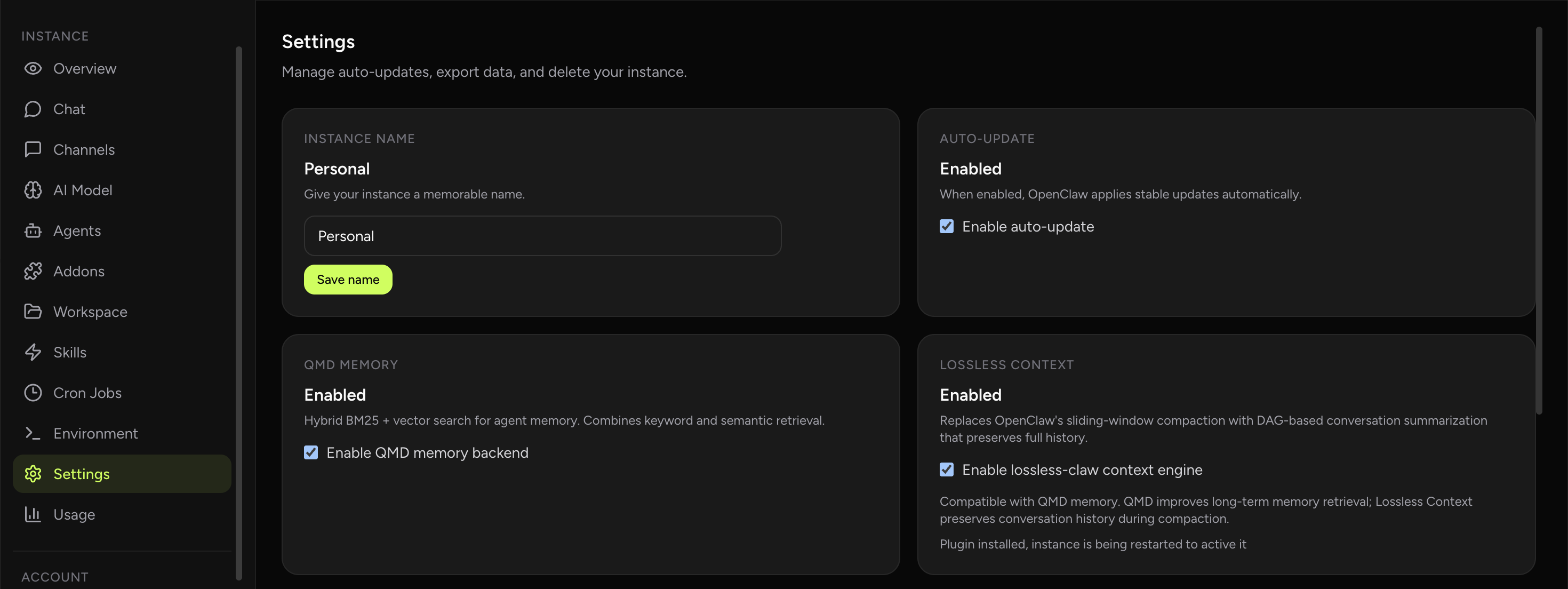
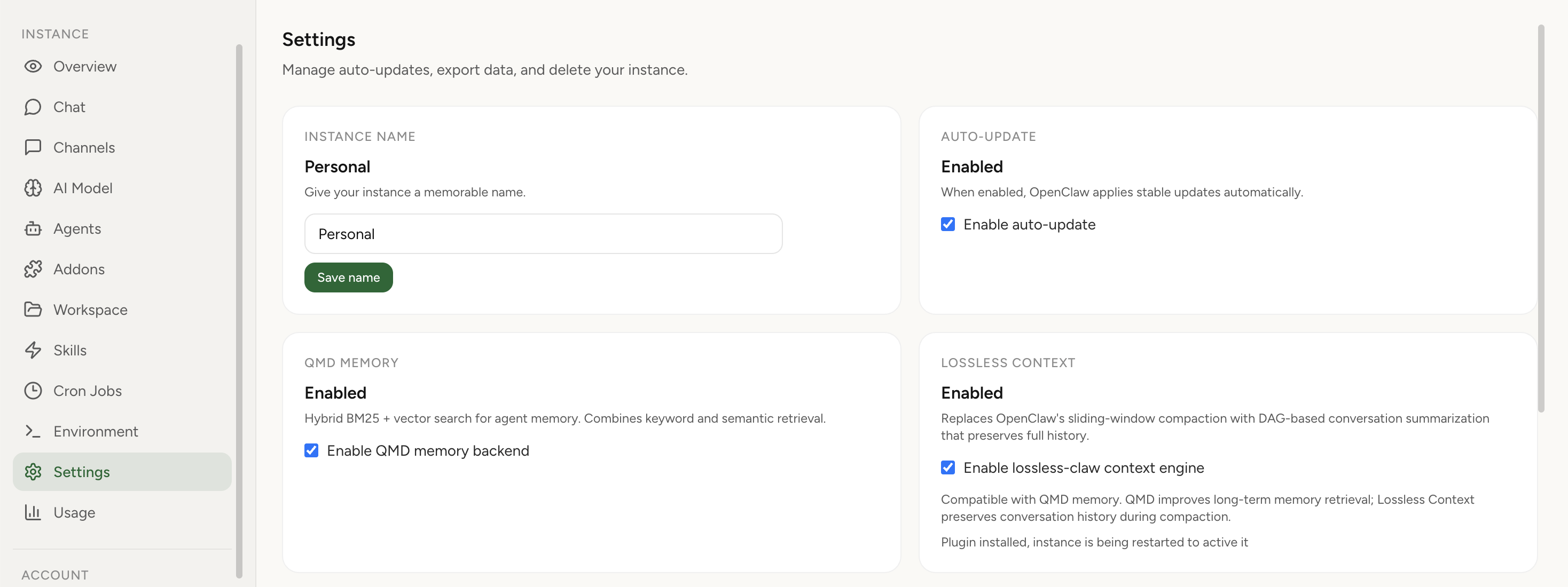
- Hosted Lossless Claw toggle: enable the @martian-engineering/lossless-claw plugin from Instance Settings.
- Context engine wiring: Lobsterland sets plugins.slots.contextEngine = "lossless-claw" for you.
- Hosted defaults: instances start at freshTailCount 32, contextThreshold 0.75, incrementalMaxDepth -1 — a shorter protected raw tail and unlimited-depth incremental condensation, where the plugin's own defaults are 64 and a single pass.
- Version pinning across the 2026.5.12 boundary: Lossless Claw 0.11.3 on OpenClaw 2026.5.12+, 0.9.3 below it, installed by npm integrity hash and shasum rather than by tag.
- Managed first-run install: when you enable it on a running instance, Lobsterland installs the plugin into the pod and restarts cleanly.
- QMD-compatible setup: you can keep QMD memory enabled while using Lossless Claw for context compaction — see how to combine Lossless Claw and QMD.
- Import awareness: importing an existing OpenClaw archive now detects Lossless Claw and carries that preference into the hosted preview flow.
What it enables
In standard agent setups, long conversations eventually force the model to drop older messages or compress them so aggressively that details disappear. Lossless Claw takes a different approach. It stores the full history, summarizes older chunks into a DAG, and assembles the next turn from recent raw messages plus structured summaries. The practical effect is simple: your assistant keeps continuity much better as conversations get longer.
It also exposes retrieval tools over compacted history, so the agent can search or expand older material instead of behaving as if earlier context vanished. That makes long-running research, support, operations, and project threads much more viable than a pure sliding window. The original project lives onGitHub here.
It feels much closer to an assistant that actually remembers the thread you have been building, instead of one that gets amnesia every time the token budget gets tight.
Why this matters in hosted OpenClaw
Upstream, Lossless Claw is interesting because it upgrades OpenClaw’s context behavior. In a managed product, it is more than that: it removes the annoying parts of adopting it. You do not need to shell into the instance, manage plugin install commands by hand, or remember the exact config shape for the context engine slot.
Managed OpenClaw hosting from Lobsterland handles the install path, persists the enablement flag, regenerates the runtime config, and restarts the instance with the right plugin state — including picking the plugin version for the runtime version you are on, across the 2026.5.12 compatibility boundary the plugin documents. The result is that you can try a much more capable conversation-memory strategy without turning your hosted instance into a maintenance project.
Best fit use cases
- Assistants that stay in the same project thread for days or weeks
- Telegram or Slack workflows where continuity matters more than one-shot answers
- Research and planning sessions that need recall of older decisions
- Operator or founder copilots where “we already discussed this” is a normal part of work
Operational notes
Lossless Claw improves history preservation during compaction, but it does not change OpenClaw’s core session reset rules on its own. If you want long-lived continuity, pair it with sensible session reset settings for your channel and workload. On Lobsterland, the first enablement also requires the instance to be running, because the plugin is installed into the live pod. Changing the context engine is also not a cure for a compaction pass that hangs outright — that is a different failure, covered in theOpenClaw context compaction freeze runbook.
Frequently asked questions
What is Lossless Claw?
A context-engine plugin for the OpenClaw agent runtime, built by Martian Engineering and published under the MIT licence as @martian-engineering/lossless-claw. It replaces OpenClaw's default sliding-window compaction with LCM (Lossless Context Management): the full conversation is stored, older chunks are summarised into a DAG, and each turn is assembled from recent raw messages plus those structured summaries. It also exposes retrieval tools so the agent can search or expand compacted history instead of behaving as if it vanished. Context-engine plugins became possible in OpenClaw 2026.3.7.
How do you enable Lossless Claw in OpenClaw?
openclaw plugins install @martian-engineering/lossless-claw@latest, then setplugins.slots.contextEngine to "lossless-claw" andplugins.entries["lossless-claw"].enabled to true. The command is plugins, plural. There is nomemory.compaction key, so theopenclaw config set memory.compaction lossless step you will find in some guides does nothing. On a hosted instance you run neither command — the toggle writes the config and installs the plugin.
Which Lossless Claw version works with which OpenClaw version?
Lossless Claw 0.10.0 and newer require OpenClaw 2026.5.12 or newer, because they depend on OpenClaw's api.runtime.llm.complete summarisation capability; on an older runtime you have to stay on a 0.9.x release. Lobsterland applies that boundary per instance automatically — 0.11.3 at or above 2026.5.12, 0.9.3 below it — and installs by npm integrity hash and shasum rather than by tag, so a rebuild lands the same plugin bytes.
Can you use Lossless Claw and QMD memory at the same time?
Yes — they solve different problems and are independent settings. Lossless Claw is a context engine: it decides what goes into the model's context window on each turn. QMD is amemory system: it stores and retrieves knowledge across sessions with hybrid search. Running both is a supported hosted configuration.
What are the default Lossless Claw settings on Lobsterland?
freshTailCount 32, contextThreshold 0.75,incrementalMaxDepth -1. Two of those differ from the plugin's own defaults (freshTailCount 64, incrementalMaxDepth 1): the hosted profile protects a shorter raw tail and lets incremental condensation run to unlimited depth rather than a single pass, which favours long-running threads over doing less summarisation work. They are a starting point, not a lock.
Where is the Lossless Claw source code?
Developed in the open by Martian Engineering atgithub.com/Martian-Engineering/lossless-clawunder the MIT licence, and published to npm as @martian-engineering/lossless-claw. A community fork, win4r/lossless-claw-enhanced, adds CJK-aware token estimation. Lobsterland installs the upstream npm package unmodified — it is not a vendored or rewritten copy.