OpenClaw 2.0 upgrade guide: what 2026.8.1 changes, and what it breaks
OpenClaw 2.0 is version 2026.8.1, published 2026-08-31 — the project's largest release ever, with a rebuilt Control UI, shared cloud sessions, and built-in Memory replacing QMD. The features are good. Themigration is where installs are failing: 2026.8.1 turned the legacy-store import into a startup prerequisite, so the gateway will not report ready until openclaw doctor --fix has migrated the agent database — and doctor --fix cannot migrate it while the gateway is running. Stop the writers first and the upgrade is routine. Run the documented repair against a live gateway and you get the loop everyone is filing issues about.
At a glance: the six changes that alter how you operate an instance
| What changed in 2026.8.1 | What it means for a running instance |
|---|---|
| Legacy stores must be migrated before the gateway starts | Run openclaw doctor --fix with the gateway stopped. This is the single biggest cause of failed upgrades. |
| Sessions and transcripts moved into SQLite | Downgrading is a one-way door for history unless you restore archived legacy transcript artifacts first. |
| QMD memory retired; built-in Memory owns search and recall | agents.defaults.memorySearch is gone from the schema. QMD-only reranking, query expansion, and cross-agent transcript search have no replacement. |
| Control UI rebuilt around the conversation | Chat is the landing surface; the separate Overview page is gone. Bookmarks and internal runbooks that pointed at it need updating. |
| Cron is now called Automations | Cosmetic. openclaw cron, /cron, cron.* settings, schedule expressions, and stored jobs all still work. |
| Shared cloud sessions | New capability: work can run on paired devices or cloud workers and be handed to another person with context intact. |
Is OpenClaw 2.0 the same thing as 2026.8.1?
Yes. OpenClaw versions by date, not by semver, so there is no openclaw@2.0.0 to install. The official release notes page is titledv2026.8.1 (AKA OpenClaw 2.0), and the corresponding GitHub release v2026.8.1 was published on 2026-08-31 at 03:30 UTC as a stable, non-prerelease build.
The release notes carry an explicit correction: the package published as 2026.9.1-beta.1 was incorrectly versioned and is actually 2026.8.1-beta.4. Despite the higher number it isolder than stable 2026.8.1. Stable users should install or update to 2026.8.1.
What actually changed in OpenClaw 2.0
The scale is real and worth stating plainly, because it explains both the quality of the release and the size of its migration surface. OpenClaw's announcement reports the update wasbuilt by 933 contributors, including 569 first-time contributors, across more than 16,000 pull requests — roughly half of every pull request ever merged into the project, shipped after nearly seven weeks without a release where the previous pace had been 106 releases in 230 days. Theannouncement post is candid about how that happened: the team set out to simplify installation and rebuild the browser app, "but doing that properly meant carrying the cleanup through the rest of OpenClaw until it became OpenClaw 2.0."
The release notes are organised into fourteen sections. Five of them change how you operate an instance.
1. The Control UI is rebuilt around the conversation
The browser app is where most people meet OpenClaw, and it has been rebuilt so that conversations sit in the sidebar and the active one is centred, instead of opening on a separate Overview page. Files, approvals, settings, and live work now sit next to the conversation rather than in separate tools. If your team's runbook says "open Overview, then click through to chat", that instruction is now wrong.
2. Shared cloud sessions make OpenClaw multiplayer
This is the headline capability. Work can now run on paired devices or cloud workers, carry the session workspace with it, and reuse warm machines and project seeds for later sessions. The practical effect described in the announcement is handing a live task to a colleague with the context intact — something OpenClaw previously could not do without losing what the agent already knew.
3. QMD memory is retired
Built-in Memory now owns the core search and recall path. The release notes are direct about the migration contract: run openclaw doctor --fix to remove the retired QMD settings, carry forward supported extra paths and any session indexing you explicitly enabled, preserve compatible rows already in the agent database, and rebuild the index from canonical Markdown. They are equally direct about the loss — "QMD-only reranking, query expansion, and cross-agent transcript search are retired." Malformed structures, incompatible vector dimensions, and data without a safe owner are stopped for repair rather than silently converted.
If you built around QMD, read ourexplainer on how QMD memory worked in OpenClaw for what the retired features were actually doing, then plan for lexical built-in search as the replacement.
4. Sessions and transcripts moved into SQLite
This is the change with the longest tail. The release notes warn that before downgrading to an older file-backed release you must use the current CLI to restore archived legacy transcript artifacts, and that sessions created after the migration will not appear in older releases. In exchange, SQLite-backed chats gain the ability to rewind to a user message, fork the conversation, and switch between preserved branches.
5. Cron is now called Automations — and nothing breaks
The rename is thorough and the compatibility is real: openclaw automations offers the same command family as openclaw cron, and the old command, the /cron route, cron.*settings and RPC names, schedule expressions, identifiers, and stored jobs all continue to work. History now separates whether an automation ran, whether its result was delivered, and whether the request completed — a genuine improvement if you have ever debugged a schedule that "ran" but delivered nothing. Ourguide to OpenClaw cron jobs still applies; only the menu label moved.
What breaks when you upgrade to 2026.8.1
Within 48 hours of the stable release, the failures clustered in one place: the migration from 2026.7.x. These are open, verified issues on the public tracker, quoted from the reports themselves.
- Issue #134616 (2026-09-01) — after upgrading 2026.7.1 → 2026.8.1, OpenClaw prints
Legacy exec approvals exist at ~/.openclaw/exec-approvals.json. Run 'openclaw doctor --fix' before using exec approvals.Runningdoctor --fixprints the same message again. The repair loops. - Issue #134608 (2026-09-01) — the auth-profile migration "archived the legacy
auth-profiles.jsonsource without making its credentials available in the canonical store, then wrote or retained a migration-success receipt", so laterdoctor --fixruns treat the migration as complete and refuse to replay it. Every auth-store read and write then fails withAUTH_PROFILE_MIGRATION_REQUIRED. - Issue #134353 (2026-08-31) — a bundled provider plugin was replaced by an external install directory containing zero files. Because
agents.defaults.model.primarystill pointed at that provider, "Gateway startup failed with a capability-consent error that did not mention the missing payload."
The independent release-health tracker ClawStat.us — an automated, unofficial project that reads the public issue tracker — assessed v2026.8.1 on 2026-09-01 as"Skip this version" at medium confidence, citing an unfixed upgrade-migration cluster. That is their verdict, not ours, and it is generated automatically. Our reading of the same primary issues is narrower and, we think, more useful: the release is fine; the 2026.7.x → 2026.8.1 migration is the risky part, and most of the risk is sequencing rather than data corruption.
Why doctor --fix loops — the mechanism nobody is naming
We hit this in production on release day, because Lobsterland catalogued 2026.8.1 and started launching managed instances on it. The cause is a straightforward ordering deadlock, and once you see it the fix is obvious:
- The 2026.8.1 store migration requires that no writer holds the agent database.
- A running gateway is a writer.
- 2026.8.1 made the migration a startup prerequisite — the gateway will not report ready until the agent database has been migrated.
- So if you follow the on-screen instruction and run
openclaw doctor --fixagainst a live install, the migration cannot take the store, the legacy-state warning is emitted again, and you loop.
That is the shape of issue #134616. In our own managed runtime we resolved it by moving the migration out of the post-start path entirely: it now runs in the Kubernetes init container, before the gateway process exists, gated by a marker file on the persistent volume that is only written after doctor exits successfully. A failed migration therefore fails the init container loudly and retries safely, instead of half-migrating a store behind a gateway that is trying to start on top of it.
The second migration people forget they are crossing
The SQLite store migration did not begin with 2.0. OpenClaw started keeping runtime stores in SQLite at2026.6.0: cron jobs.json, the per-agent auth profile store, plugin state, and task flows all need importing via openclaw doctor --fix after that upgrade, or the data silently disappears — crons vanish, and OAuth credentials resolve to No API key found for provider …. We wrote up that exact failure in our guide to"No API key found for provider openai" after an upgrade.
If you are jumping from a 2026.5.x install straight to 2.0, you are crossing two store migrations in one step, and 2026.8.1 has made the second one blocking. Upgrade to an intermediate release, verify, then go to 2026.8.1.
An upgrade sequence that avoids the deadlock
- Take a real backup first. The maintainers say so in the release body itself: "Back up your configuration and state before making changes." Snapshot the whole state directory, not just config — see ourbackup-before-upgrades recovery guide for what to capture and how to prove the backup restores.
- Record your rollback target. Note the exact version you are on and, because of the SQLite session move, accept that rolling back will cost you post-migration session history.
- Stop the gateway. Not a restart — stopped. This is the step that prevents the loop.
- Update the package, then run the migration against the stopped instance:
openclaw doctor --fix. Read the output. It must exit successfully; a warning that legacy state still exists means the migration did not take, and starting the gateway now is how installs end up in the #134608 state where a success receipt is written without credentials. - If you are on 2026.7.1 with pnpm 11, the release notes name one manual repair: run
pnpm add -g openclaw@latestonce. OpenClaw does not upgrade Node for you. - Start the gateway and verify in this order: gateway reports ready → a model request succeeds → each channel (built-in chat, Telegram, Slack, WhatsApp) delivers a round trip →
openclaw cron listshows every schedule you expect → memory search returns a known result. - Watch one full scheduled cycle before you call it done. A gateway that starts is not the same as a gateway whose automations still fire.
If you have run this drill before, it is the same discipline as our2026.6.6 security upgrade checklist — stage it, test every connected surface, roll forward only when the matrix is clean.
Stop babysitting your OpenClaw box
Fix it once — or stop fixing it for good.
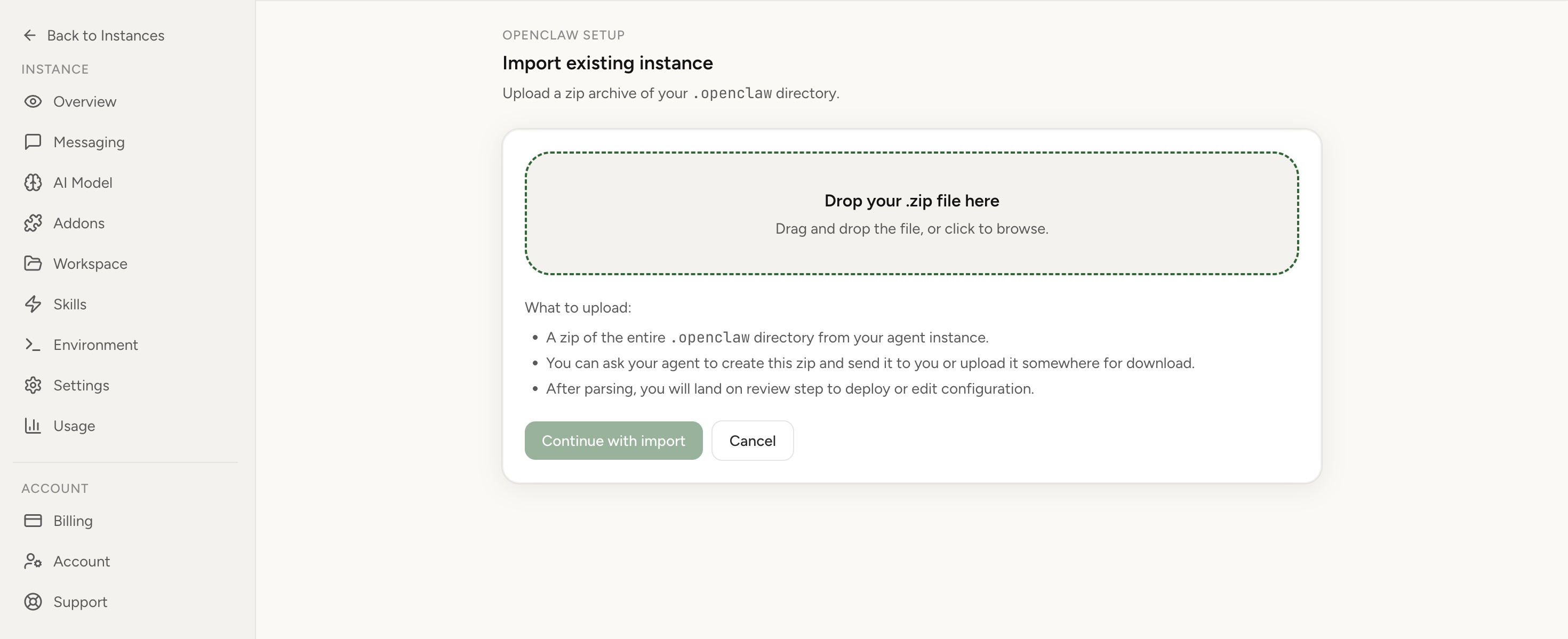
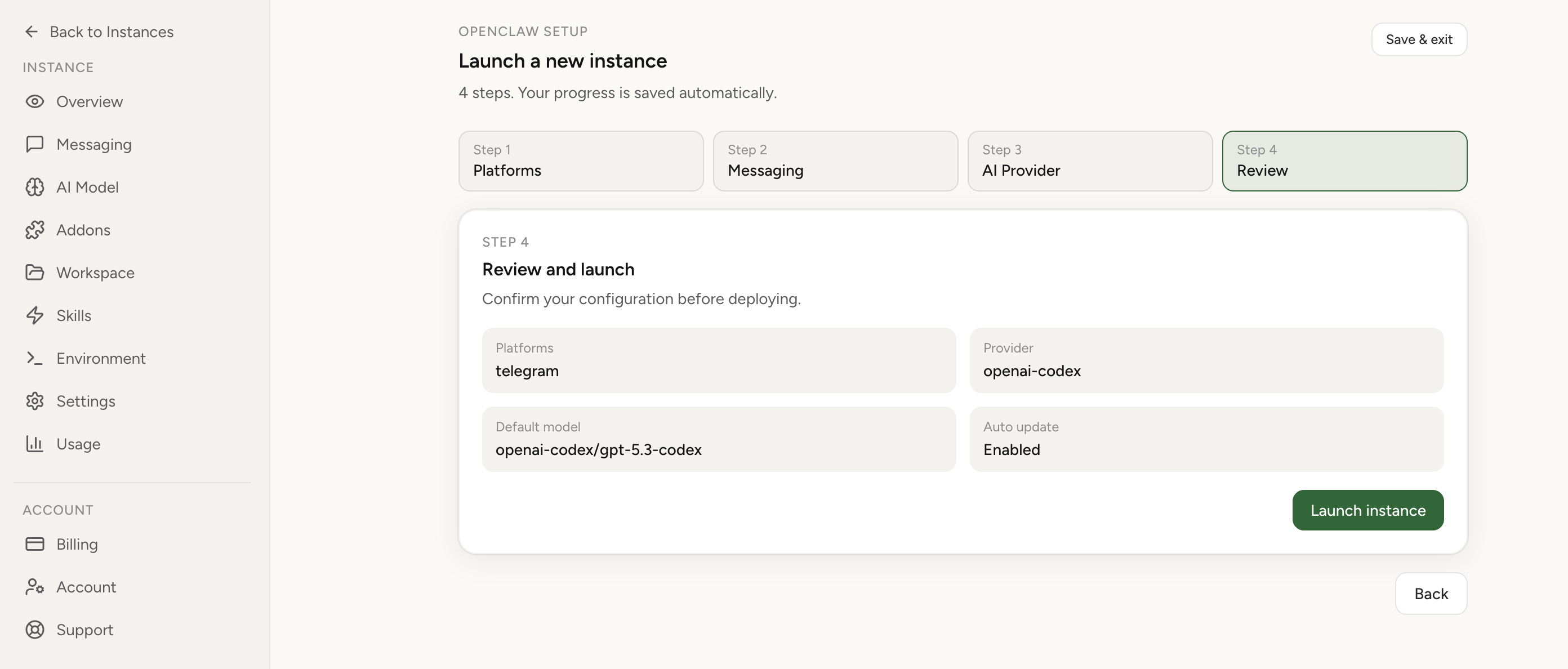
Apply the checklist above and keep self-hosting, or skip the maintenance entirely: run your OpenClaw on managed hosting from $6.90/mo, starting with a 7-day free trial. We handle the stale locks, gateway restarts, version upgrades, and uptime — and you can import your existing instance in a couple of minutes. Cancel anytime.
- Managed hosting handles stale
.jsonl.lockfiles, gateway restarts, and version upgrades for you - Import your existing OpenClaw setup in minutes — keep your channels and configuration
- The optional $199 setup is scoped: no custom development, enterprise/SRE support, or unsupported self-hosting repair
If you would rather compare options first, review OpenClaw cloud hosting or see the best OpenClaw hosting options before deciding.
Can you downgrade from 2026.8.1?
Not cleanly, and not as an afterthought. Because sessions and transcripts now live in SQLite, the release notes instruct you to use the current CLI to restore archived legacy transcript artifacts before downgrading to an older file-backed release, and warn that sessions created after the migration will not appear in older releases. Plan the rollback before the upgrade, or treat the upgrade as one-way for conversation history.
Self-hosted or managed: what actually differs here
Nothing about OpenClaw 2.0 makes self-hosting a bad idea. A competent operator who takes a verified backup, stops the gateway, runs doctor --fix, and checks the output will land on 2.0 and get every one of its improvements. The upgrade is a one-time cost, not a recurring tax, and the release is worth taking.
What a managed host removes is the sequencing problem and the day you lose to it. Lobsterland runs OpenClaw 2026.8.1 as a catalog version, and the store migration executes in the init container before the gateway process exists — marker-gated, so it runs exactly once per version transition and a failure is visible and retryable instead of silent. Managed 2026.8.1 instances also publish the rebuilt Control UI from the instance Overview tab: the gateway port stays cluster-private and the long-lived gateway token is injected server-side only, never placed in a URL or a browser cookie.
If you would rather not own that sequence on every release, look atmanaged OpenClaw hosting that runs the store migration for you, or weigh the trade-offs honestly on our managed versus self-hosted OpenClaw comparison. If your question is narrower — where the instance actually runs and what it costs — start atOpenClaw cloud hosting.
FAQ
Is OpenClaw 2.0 the same thing as version 2026.8.1?
Yes. OpenClaw has no separate 2.x version number. The stable release published on 2026-08-31 is taggedv2026.8.1, and the official release notes page is titled "v2026.8.1 (AKA OpenClaw 2.0)". If you are looking for a package called openclaw@2.0.0, it does not exist — install or update to 2026.8.1.
Why does openclaw doctor --fix keep asking me to run openclaw doctor --fix?
Because the 2026.8.1 store migration needs every writer stopped before it can run, and a running gateway is a writer. If you run doctor --fix while the gateway is up, the migration cannot take the store, so the legacy-state warning is printed again on the next command. Stop the gateway, run openclaw doctor --fixagainst the stopped instance, confirm it exits successfully, and only then start the gateway again.
Does OpenClaw 2.0 remove QMD memory?
Yes. 2026.8.1 retires the QMD memory backend and the legacy agents.defaults.memorySearch configuration schema; built-in Memory owns search and recall instead. openclaw doctor --fix removes the retired QMD settings, preserves compatible rows already in the agent database, and rebuilds the index from your canonical Markdown. QMD-only reranking, query expansion, and cross-agent transcript search are gone and have no replacement.
Can I downgrade from OpenClaw 2026.8.1 if the upgrade goes wrong?
Only with preparation, and not cleanly. 2026.8.1 moves sessions and transcripts into SQLite, and sessions created after the migration will not appear in older file-backed releases. Before downgrading you must use the 2026.8.1 CLI to restore the archived legacy transcript artifacts. Take a full state backup before you start.
Do my cron jobs still work after upgrading to OpenClaw 2.0?
Yes. 2026.8.1 renames the feature from Cron to Automations, but openclaw cron, the /cronroute, cron.* settings and RPC names, schedule expressions, job identifiers, and stored jobs all keep working. The risk to your schedules is not the rename — it is the store migration. If the legacyjobs.json is never imported into SQLite, the jobs stop appearing.