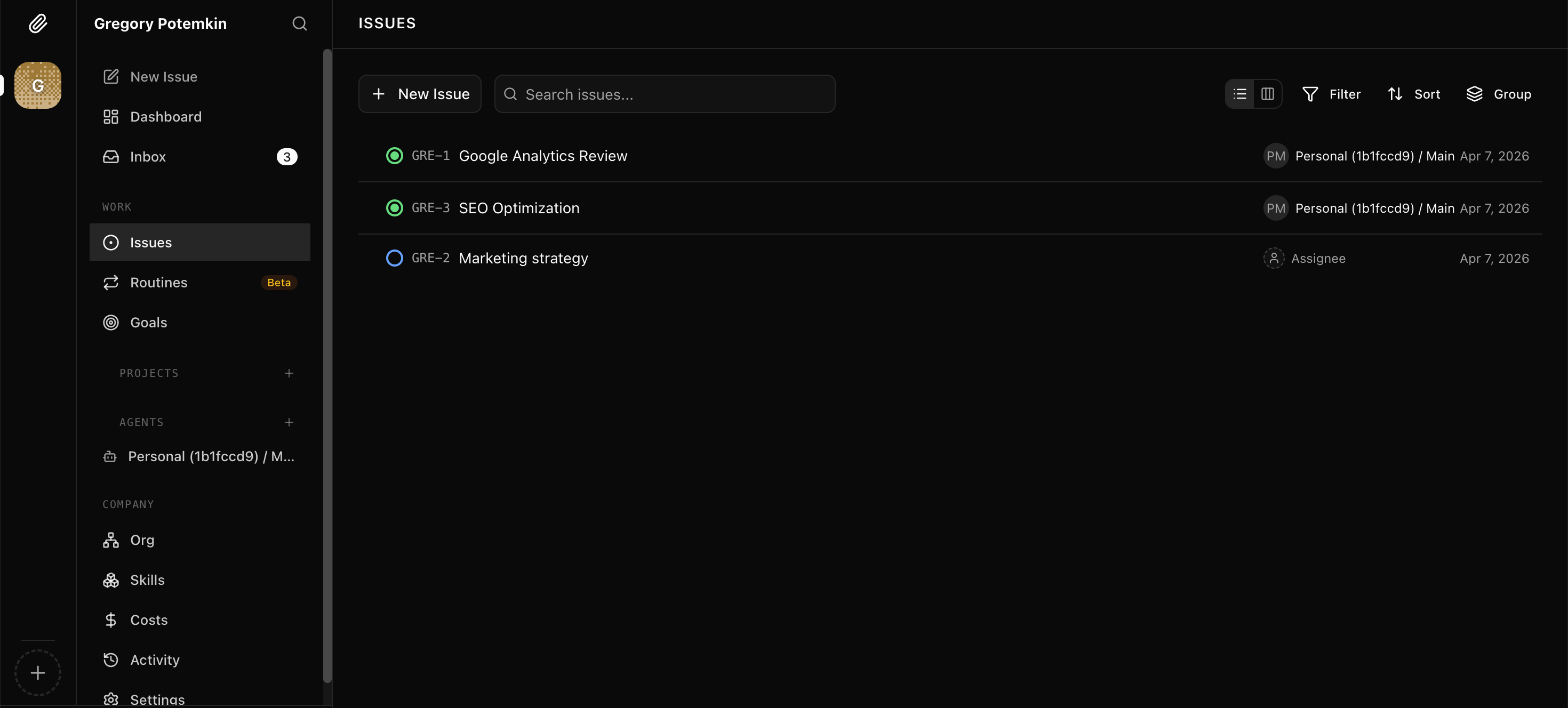
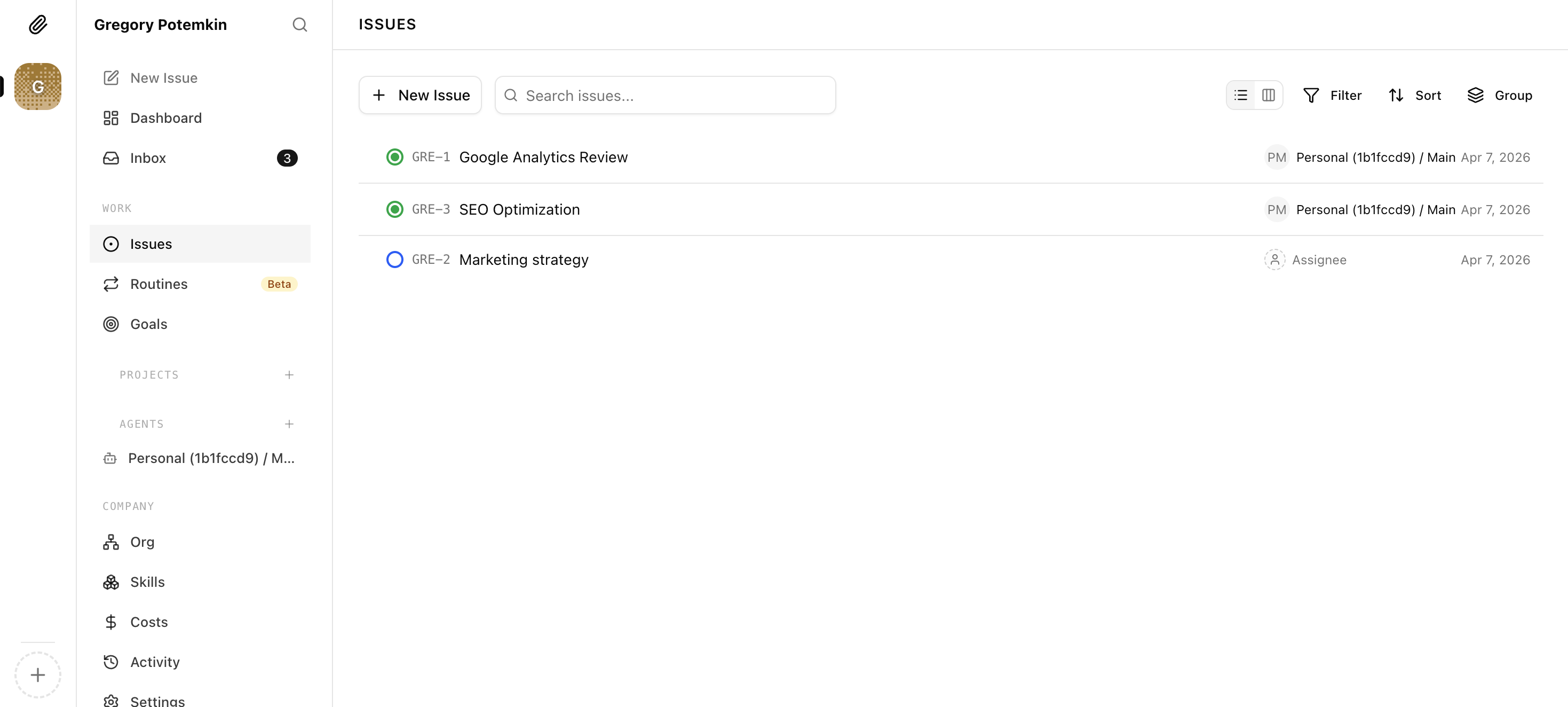
📎Managed Paperclip hosting — every present and future instance, auto-attached.
Hosting a Paperclip workspace yourself means generating API keys, wiring endpoints, and re-syncing every time you add an agent or spin up a new instance. Lobsterland runs Paperclip as a managed $4.90/mo workspace and auto-attaches it to every OpenClaw and Hermes instance you have today and every one you launch tomorrow — no setup, ever.
Lobsterland is a managed Paperclip host. Enable Paperclip once and a workspace is provisioned, secured, and connected to your fleet for you — OpenClaw and Hermes instances alike. By default it auto-attaches to every instance you own — including ones you haven't launched yet — so a brand-new agent is already mirrored in your Paperclip workspace the moment it boots. No external Paperclip account, no API keys, no endpoint wiring, no manual re-sync.
What you can do
Auto-attaches to every present and future instance — OpenClaw or Hermes, new instances are mirrored into the workspace automatically the moment they launch.
Runtime-agnostic — Lobsterland installs the right gateway adapter for each instance, so OpenClaw and Hermes agents become Paperclip employees the same way.
Fully managed Paperclip hosting — workspace provisioned, secured, and updated for you with no external Paperclip account.
$4.90/month optional add-on for new Paperclip workspace deployments.
Zero-config sync — agents mirror in on every change without manual re-triggering, API keys, or endpoint wiring.
Per-instance opt-out — keep auto-attach on by default or pick exactly which instances feed the workspace.
Owner-only secure workspace access, launched directly from your dashboard.
One-click disable or full data removal at any time — storage, network policies, and workspace data all cleaned up.
Why connecting an agent runtime to Paperclip is normally painful
Paperclip is designed to work with AI agents, but wiring a self-hosted or remote OpenClaw or Hermes instance into a Paperclip workspace involves real setup work: generating API keys, pointing Paperclip at the right endpoint, installing the correct gateway adapter, and handling authentication on both sides.
That's manageable once, but it breaks the moment you add a new agent, rename an existing one, or change your instance configuration. Every structural change means a manual re-sync cycle, and when you're running multiple instances, the overhead compounds quickly.
API key generation and rotation on both sides
Manual endpoint configuration per instance
Re-sync required after every agent or instance change
Multiplied effort across multiple instances
How managed Paperclip hosting works in Lobsterland
Lobsterland runs the Paperclip workspace for you. For new deployments, Paperclip is a $4.90/month add-on. When you enable it from the dashboard, a workspace is provisioned for your account and immediately connected to your fleet.
By default, the workspace auto-attaches to every instance you own — including instances you haven't launched yet. Spin up a new OpenClaw or Hermes instance and it's already mirrored in your Paperclip workspace the moment it boots. No re-enabling, no per-instance toggling, no remembering to reconnect.
Runtime is not something you have to think about. Lobsterland installs and configures the right gateway adapter for each instance behind the scenes, so an OpenClaw agent and a Hermes agent both show up as Paperclip employees — and either one can be appointed company CEO.
Whenever you add, rename, or remove an agent on any attached instance, the Paperclip workspace reflects the change automatically. If you ever want to scope it down, the instance picker lets you opt specific instances out — but the default is hands-off coverage of your whole fleet.
Enable Paperclip once from the Paperclip tab in your dashboard
Workspace auto-attaches to every present and future instance, OpenClaw or Hermes
Gateway adapter selected and installed per runtime automatically
New instances launched after enable are connected automatically — no extra step
Agent changes sync on every edit without manual re-triggering
Already deployed Paperclip workspaces continue running without interruption
Per-instance opt-out available if you want to scope coverage manually
Access and control
The Paperclip workspace is owner-only — your account, your workspace, launched directly from the dashboard. You can pause sync by disabling Paperclip, or remove everything permanently with the full-delete option.
Full delete wipes the workspace, storage, service, and network policies for your account. Nothing lingers.
Launch the workspace directly from the Paperclip tab
Disable pauses sync and provisioning without deleting data
Full delete removes workspace, storage, and network policies
Instance picker lets you change which instances are included at any time
FAQ
What is managed Paperclip hosting?
Managed Paperclip hosting is a Paperclip workspace that someone else provisions, secures, and operates for you. In Lobsterland, the workspace is created on first enable, kept reachable behind owner-only access, and automatically connected to your AI agents — so you skip the API keys, endpoint setup, and ongoing maintenance you'd normally take on running Paperclip yourself.
Does Paperclip work with Hermes instances, or only OpenClaw?
Both. Hermes instances are supported exactly like OpenClaw ones — they auto-attach to the managed workspace, sync on every change, and appear in the instance picker alongside your OpenClaw instances. Lobsterland installs the matching gateway adapter for each runtime automatically, so you don't configure anything differently. A Hermes agent can also be appointed the company CEO in your Paperclip workspace.
Can I host Paperclip without setting up API keys or endpoints?
Yes. Lobsterland absorbs the entire Paperclip connection lifecycle. You never generate API keys, configure endpoints, or wire up authentication on either side — enable Paperclip in the dashboard and the workspace is provisioned and connected for you.
Does the workspace attach to instances I haven't launched yet?
Yes. By default, the managed Paperclip workspace auto-attaches to every present and future instance on your account, whichever runtime it uses. When you launch a new OpenClaw or Hermes instance, it's mirrored into the workspace automatically — you don't re-enable Paperclip or reconnect anything.
How much does Paperclip cost?
Paperclip is an optional $4.90/month add-on for new workspace deployments. Already deployed Paperclip workspaces are not interrupted by the pricing change.
Do I need a separate Paperclip account?
No. Lobsterland provisions and manages the workspace for you. There is no external Paperclip account or signup required.
Which instances get connected to Paperclip?
Every instance you own, by default — current and future. The instance picker in the Paperclip tab lets you opt specific instances out if you want to scope coverage manually.
How often does agent sync happen?
Sync runs automatically after agent and instance changes. There is no schedule to configure and no manual re-sync step — it stays current as you make changes.
Can I share the Paperclip workspace with teammates?
The workspace is owner-only for now. You can launch it directly from your dashboard, but collaborative access for team members is not yet available.